FinCleaner
◆ iPhone and iPad · your data stays yours

Your statements, read properly.

FinCleaner takes the transaction file your card issuer already lets you download and tells you what is actually in it — the subscriptions you forgot, the price that went up, the interest you are paying, where the money really goes. Free for your first three statements.

All of it happens on your device. There is no account and no connection to your bank. Nothing is ever sent to us — the only thing that can leave your device is a copy to another device of your own, if you ask for it.
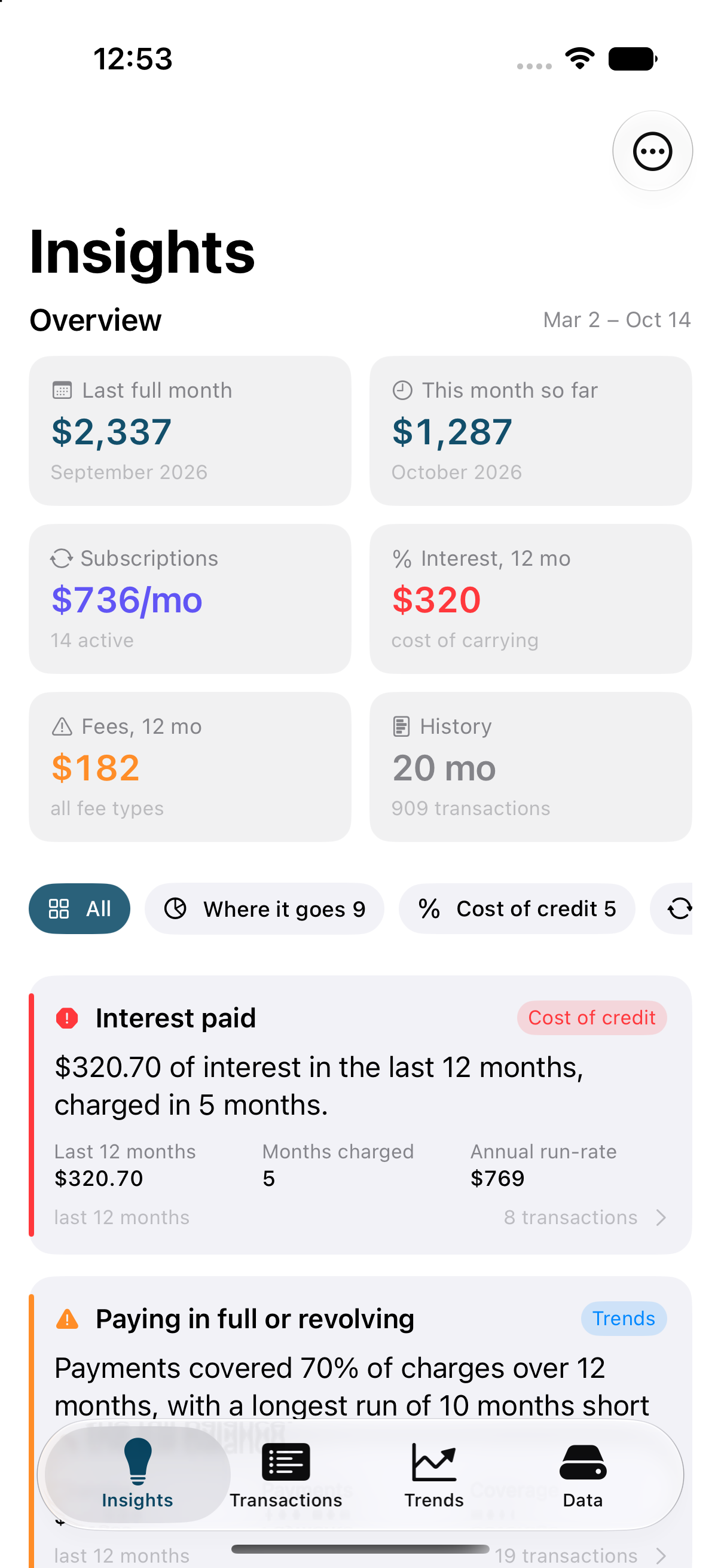
FinCleaner's Insights screen, showing spend for the last full month, monthly subscription cost, interest paid over twelve months, and a list of findings.

What it finds

Forty-one analyses run over your transactions. These are the ones people notice first.

🔁

Every recurring charge

Found by their rhythm and amount, so nothing about where you shop is ever looked up anywhere. Annual and quarterly bills are converted to a monthly equivalent, which is usually where the surprise is.

📈

The price that crept up

A subscription that went from $15.49 to $17.99 looks normal on any single statement. FinCleaner compares each charge with the ones before it and tells you what the rise costs you over a year.

%

What credit is costing you

Interest and every fee, grouped by type, with the finance charge restated as what it really is: a surcharge on everything you bought that month.

👀

Charges worth a second look

The same charge twice days apart, amounts far outside your own normal range, a category well above what you usually spend there, a first charge from a shop you have never used.

🧾

The small stuff, added up

Every charge under $15 over three months, added up across a year. Individually invisible; together, often the biggest number on the screen.

✈️

Trips, totalled

Travel and foreign-currency charges that cluster together become a trip with a cost, instead of twelve separate lines spread across a statement.

What it looks like

Screens from the app running on an iPhone, with twenty months of generated sample data.
The Insights screen with overview tiles and insight cards.
InsightsThe headline numbers, then findings ranked by what matters — each one tappable for the method and the transactions behind it.
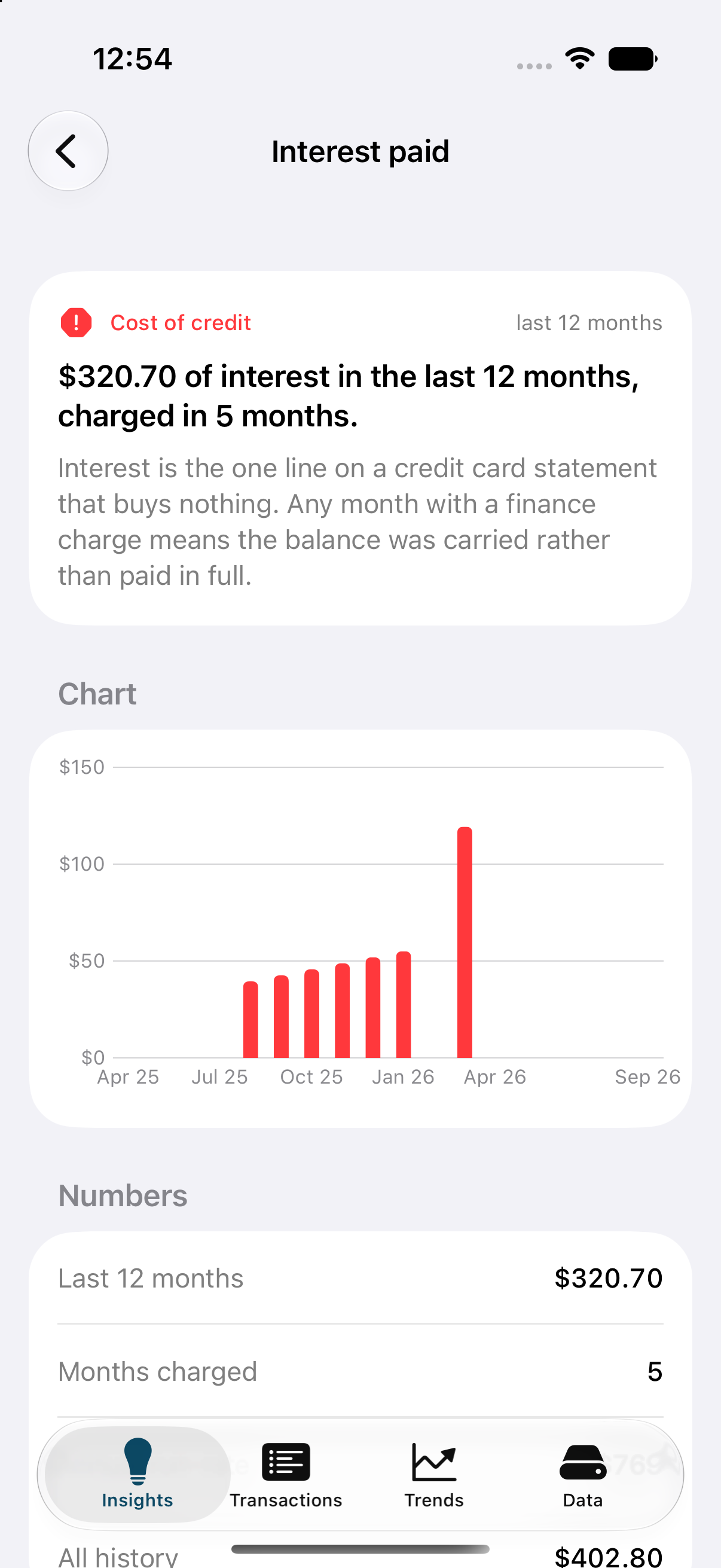
An insight detail screen showing interest paid, a bar chart by month, and the numbers behind it.
Every number explainedHow it was calculated, the figures behind it, a chart, and the actual transactions — which you can correct if one is wrong.
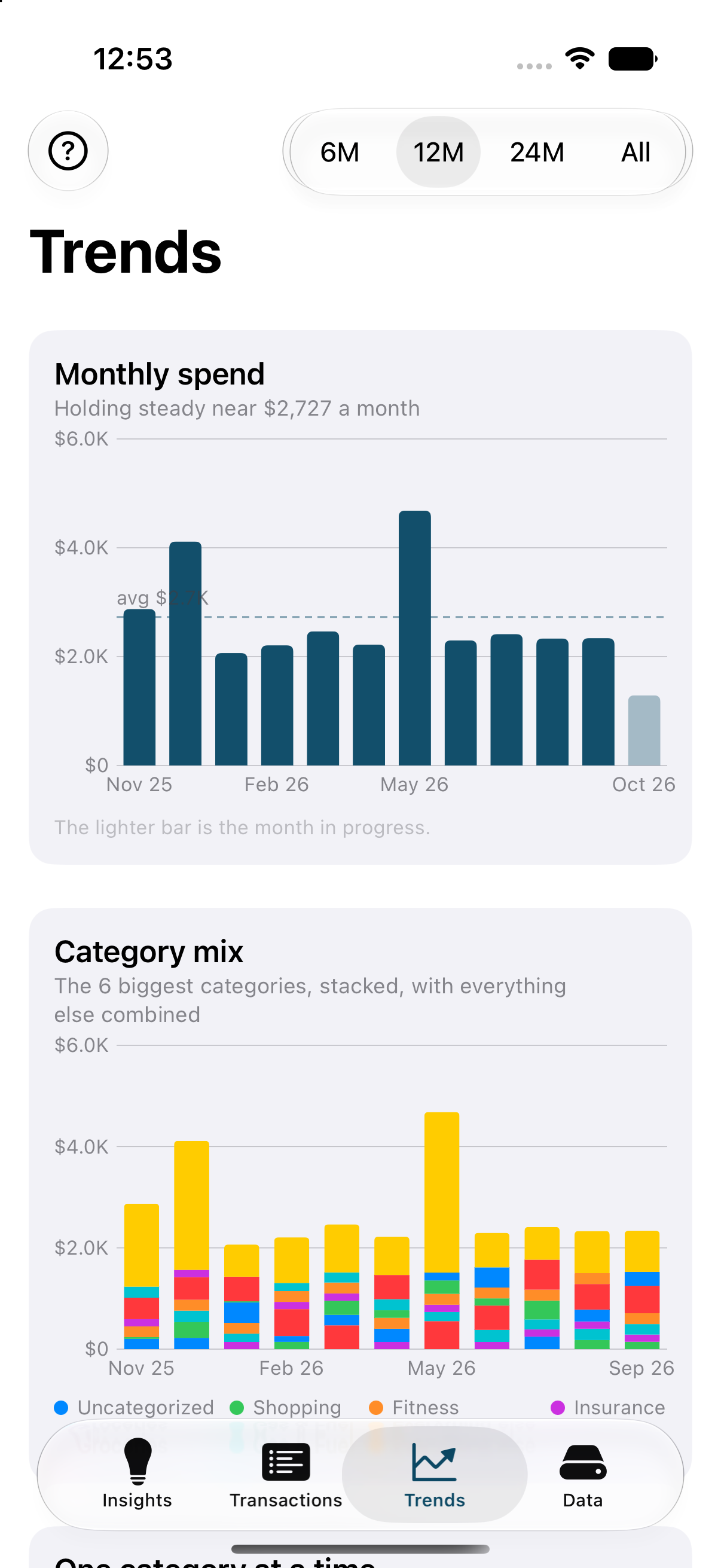
The Trends screen with a monthly spend bar chart and a stacked category mix chart.
TrendsMonthly spend against your own average, the category mix over time, cost per day, and payments against charges.
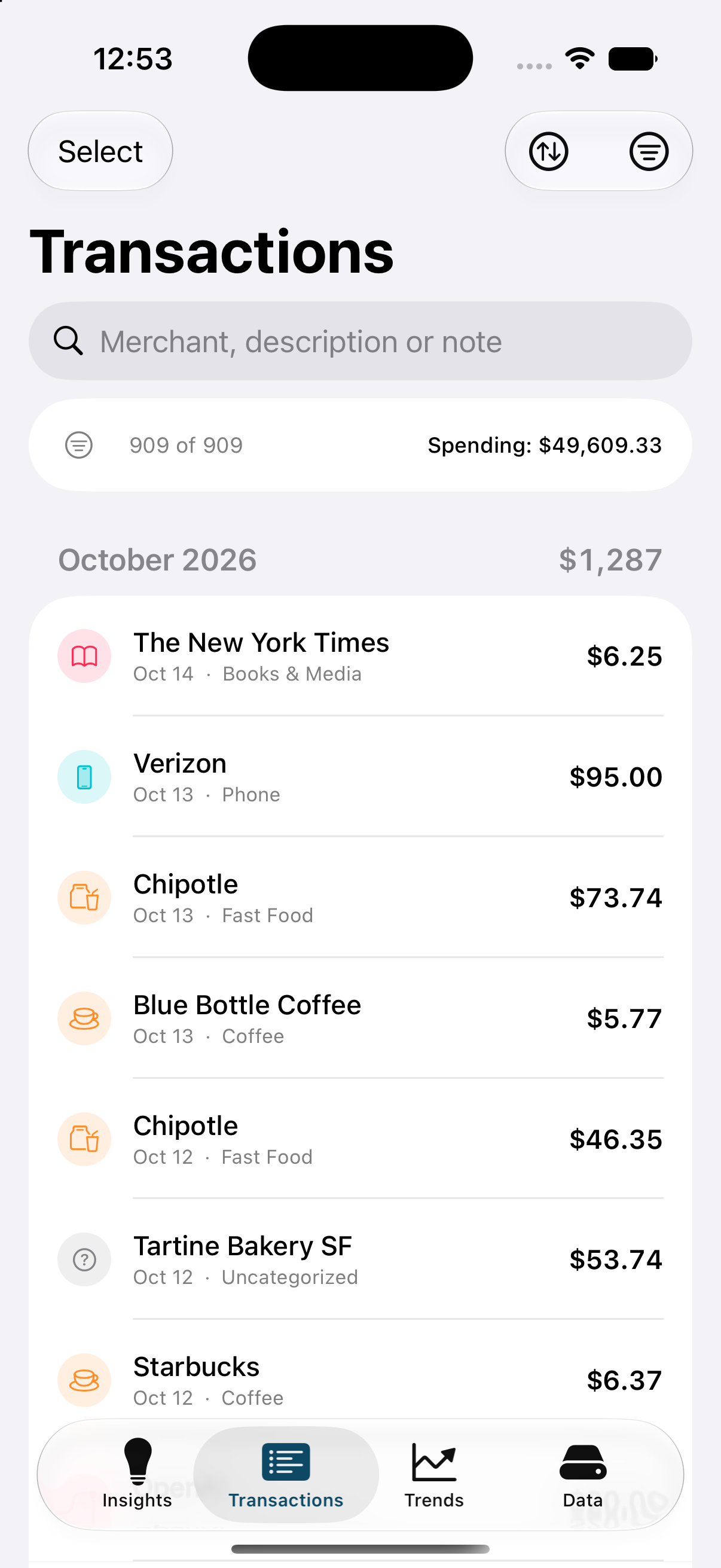
The transaction ledger grouped by month with category icons and amounts.
Your ledgerEverything, grouped by month and searchable. Every detail can be edited, and anything can be left out of the analysis without deleting it.
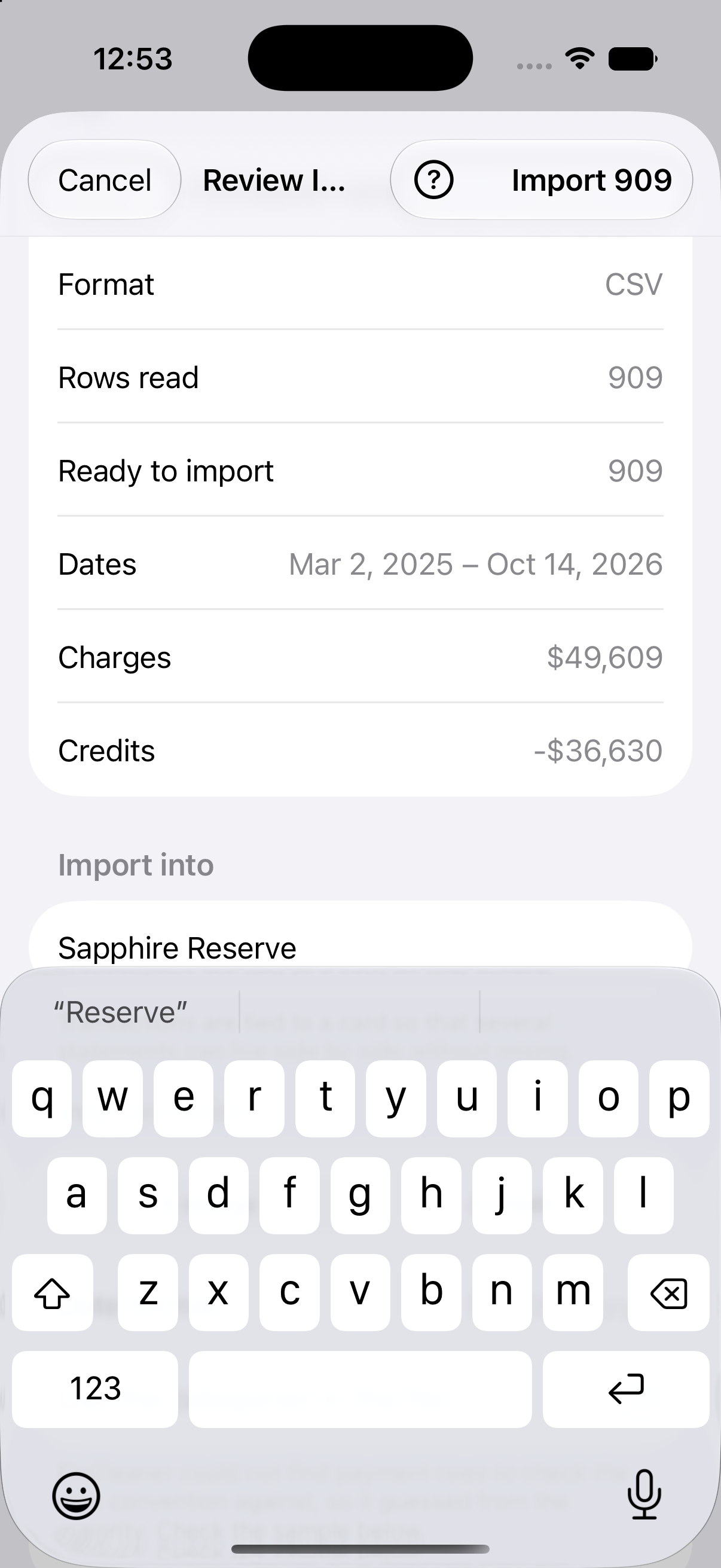
The import review screen showing what FinCleaner read from the file before importing.
Nothing written until you say soFinCleaner shows you how it read the file — which column is which, how the dates are written, which way the money went — and waits.
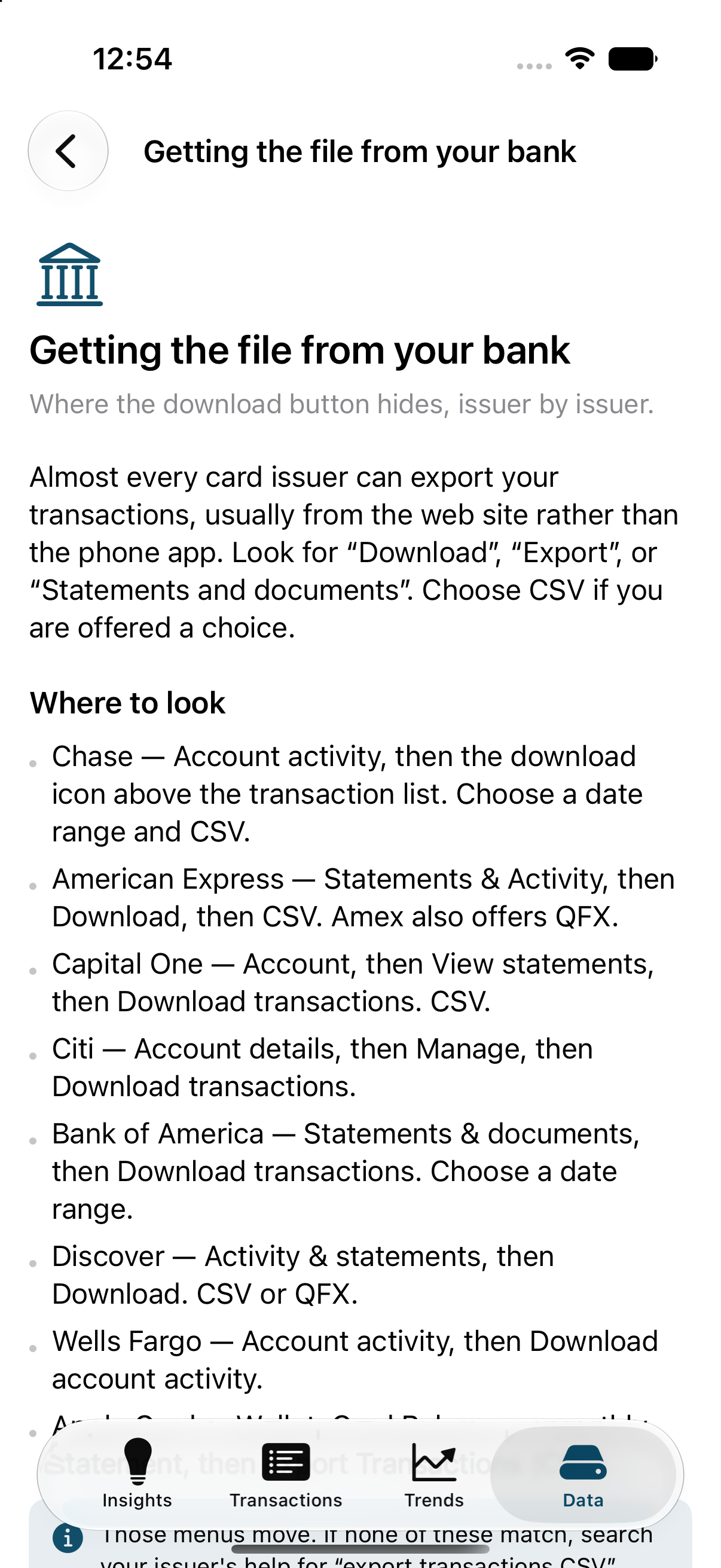
A help article explaining where to download transactions from each bank.
Help that actually helpsIncluding where the download button hides at each major issuer, because that is the genuinely annoying part.

Private because of how it is built, not because we promise

Most apps ask you to trust a policy. FinCleaner is built so that there is nothing to trust it with.

Nothing reaches us, ever

FinCleaner cannot reach the internet. There is nothing in it that tracks you, reports crashes or gathers statistics — not switched off, simply not there. It talks to the App Store about your subscription, and it can copy your data straight to another device you own. Neither of those sends anything to us.

The subscription sends nothing about you

The app asks the App Store one question — whether your subscription is active — and gets back a yes or no. Your transactions are not part of that conversation and could not be. If a subscription lapses, nothing is removed: only new imports stop.

No account, and no cloud

There is nothing to sign up for and nothing to sign in to, and nothing is copied to iCloud. Subscribers can pair two of their own devices and keep them in step — directly, over Wi-Fi or Bluetooth, with no server in between.

A passcode, from the first launch

FinCleaner asks you to set a passcode before it will store anything, and locks again every time you leave the app. Face ID or Touch ID is the quick way back in. There is no recovery: nothing exists anywhere that could reset a forgotten passcode.

Encrypted, and out of reach

Your transactions are encrypted on your device using the protection built into iPhone and iPad, so they cannot be read while your device is locked. They are kept out of your backups, no other app can reach them, and FinCleaner leaves no folder for anything to browse.

No profiling, no advice

FinCleaner does not estimate your income, infer who you are, or recommend financial products. It describes the transactions you gave it, and says so when a number is an estimate.

You can take it out and wipe it

Export everything as a plain CSV whenever you want. Delete a transaction, a whole import, or everything, in one action.

No ads, and nothing to sell

There is no advertising in FinCleaner and no advertising profile behind it. Nothing about you is sold or shared, because nothing about you ever reaches us in the first place.

It gets better the longer you use it

Some questions cannot be answered honestly from a single statement. Rather than guess, FinCleaner holds those analyses back and tells you what each one will say once it has enough history — and you can reach them sooner by importing older statements instead of waiting.

First import
Where the money went, your biggest shops, fees, interest, charges that look duplicated, big purchases, the small charges adding up, trips.
2–3 months
Recurring charges and what your subscriptions cost in total, price rises, new and cancelled subscriptions, the next thirty days of expected charges.
3–4 months
Which way your spending is heading, where this month is on course to land, categories that jumped against your own normal, and whether payments are keeping up with charges.
6 months
Your own inflation rate — what the same shops charge you now versus before.
13 months
Seasonal patterns, this month against the same month last year, this year so far against last, annual renewals coming due.

How it works

1.
Download a file from your card issuerCSV, TSV, OFX or QFX. The app's help has the steps for each major issuer, because the download button is never where you expect.
2.
Hand it to FinCleanerFrom the Files picker, the share sheet, or "Open With". FinCleaner keeps no folder of its own that anything can open.
3.
Check its reading, then importIt works out which column is which, how the dates are written and which way the money went, and shows you before saving anything.
4.
Correct anything it got wrongFix a merchant or a category once and teach it a rule. Your choices always outrank its guesses.

It should read properly wherever you are

Your statement is written the way your bank writes it, and that is not the same everywhere. FinCleaner reads it the way your country does.

·
Dates the right way round03/04 is the third of April in Melbourne and the fourth of March in Chicago. When a file gives no clue, FinCleaner reads it the way your region writes dates — and shows you what it decided, so you can change it before anything is saved.
·
Your own moneyA file that does not name its currency is assumed to be in yours, not in US dollars. Amounts are then written the way your region writes them.
·
Your own languageEnglish, with Australian and Canadian spelling in those countries, and a full French translation for Canada — every screen, every finding, every help page.
·
Commas or full stops1,234.56 and 1 234,56 are the same amount. Both are read correctly, whichever your bank uses.

Built to be used by everyone

Accessibility is not a setting that was switched on at the end. It is checked by the same tests that check everything else, so it cannot quietly stop working.

·
Works with VoiceOverEvery control says what it is and what it will do. Figures are read as money and dates, not as strings of digits, and decorative artwork is skipped rather than described.
·
Text as large as you need itEvery size iOS offers, including the largest accessibility sizes. Nothing is cut off or overlapped at the big end — panels stack instead of squeezing, and the layout was checked at the largest setting on the smallest iPhone.
·
Text you can actually readEvery color in the app is measured against the contrast standard, in both light and dark, and a test fails if any of it falls short. None of it was picked by eye.
·
Never color aloneMoney coming back to you is marked with a sign as well as a color, so the difference does not depend on telling red from green.
·
Every screen sizeFrom the iPhone SE to the largest iPad, in portrait and landscape.
·
Nothing you cannot dismissNumber pads get a Done button, because iOS does not give them one and a keyboard covering the screen with no way out is its own kind of trap.